One platform for education enquiries and business sales
Every enquiry gets a reply.
Even the one at
9:47 pm.2 am Sunday.lunch time.Diwali eve.
Manage every enquiry, lead and customer conversation with MisterCRM. Built for education teams handling admissions and businesses managing sales, follow-ups and customer relationships.
30-minute walkthrough · we set it up with your own lead sources · no card needed
New lead · “Mansarovar 3 BHK” adPriya N. · Jaipur · assigned to Aman
“Saturday works. Send location 📍”Anjali replied · 2 min ago
Call task created - due 10:48Workflow “New Facebook lead”
Leads land in one place, wherever they start
Facebook & Instagram lead adsGoogle Ads lead formsClick-to-WhatsApp adsYour website formsExcel importsWalk-ins & callsAnything, via APIFacebook & Instagram lead adsGoogle Ads lead formsClick-to-WhatsApp adsYour website formsExcel importsWalk-ins & callsAnything, via API
The 9:47 pm problem
Leads aren't lost to a better price. They're lost to a slower reply.
Someone fills your ad form after dinner. Your team sees it at 10 the next morning - in an Excel sheet, if someone remembered to copy it. By then two competitors have already called.
Here's the same evening with MisterCRM running.
Priya fills the “3 BHK, Mansarovar” form on Instagram. MisterCRM pulls it in within seconds, with the ad and campaign it came from.
automatic
She's assigned to Aman - it's his turn in the rotation - and gets a WhatsApp welcome with the brochure and floor plan.
automatic
“Is covered parking included?” Her reply lands in the shared WhatsApp inbox, on her lead, next to everything else.
shared inbox
Aman opens MisterCRM. Priya is first on his follow-up list, with the full chat. He calls, answers the parking question, books a Saturday visit.
your team
If the lead is still sitting in “New” two days later, Aman and his manager get a nudge. Nothing goes quiet without someone noticing.
reminder
The product
What your team actually looks at all day.
No mock-ups. These are real MisterCRM screens, with a demo real-estate team's data.
01 - Capture
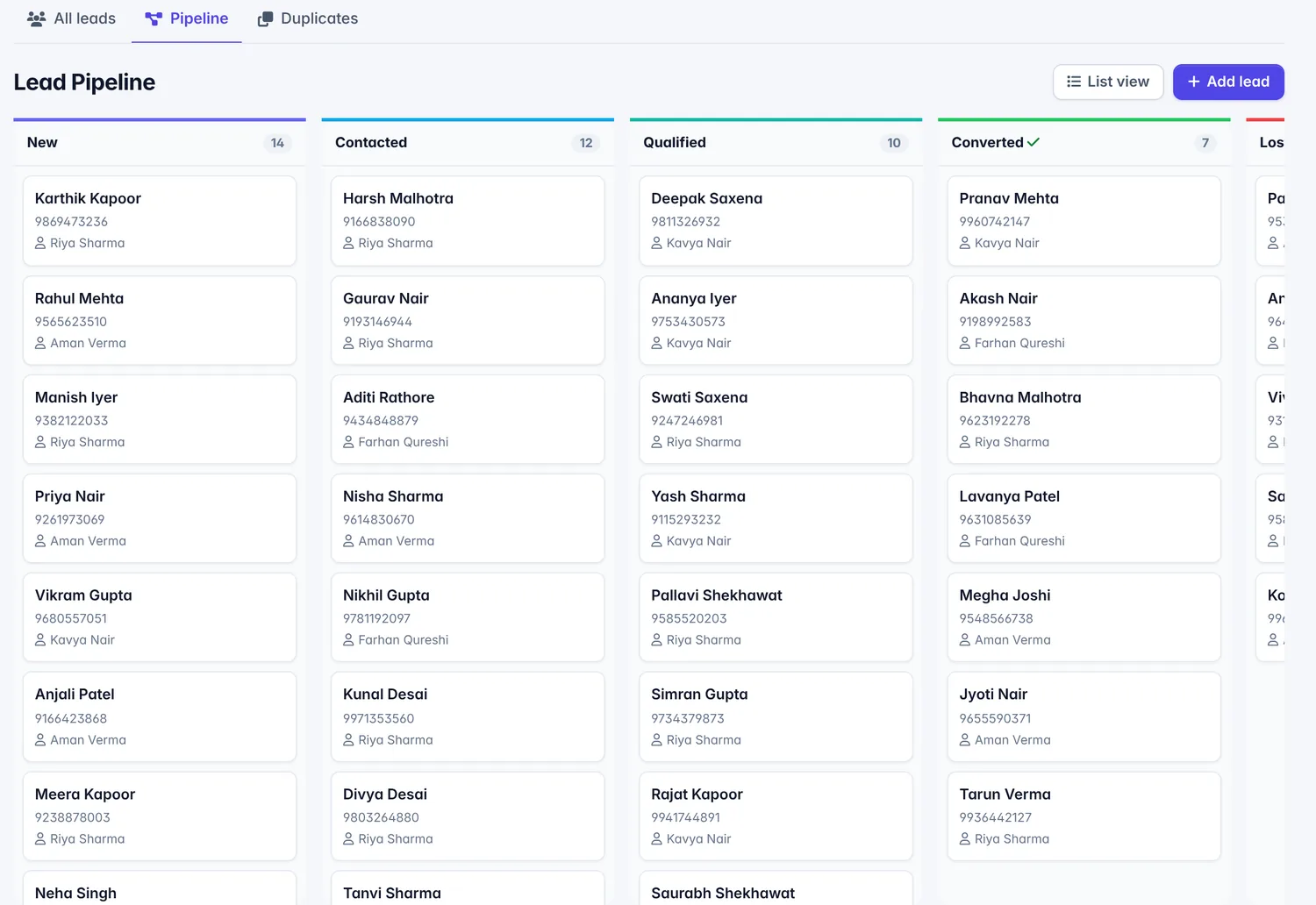
Every lead on one board, the moment it arrives.
Ads, website, WhatsApp and walk-ins all become leads in the same pipeline. Drag a card to move it along; the stages are yours to name.
Duplicates caught by mobile number
Source and campaign kept on every lead
Custom fields and multiple pipelines
02 - Reply
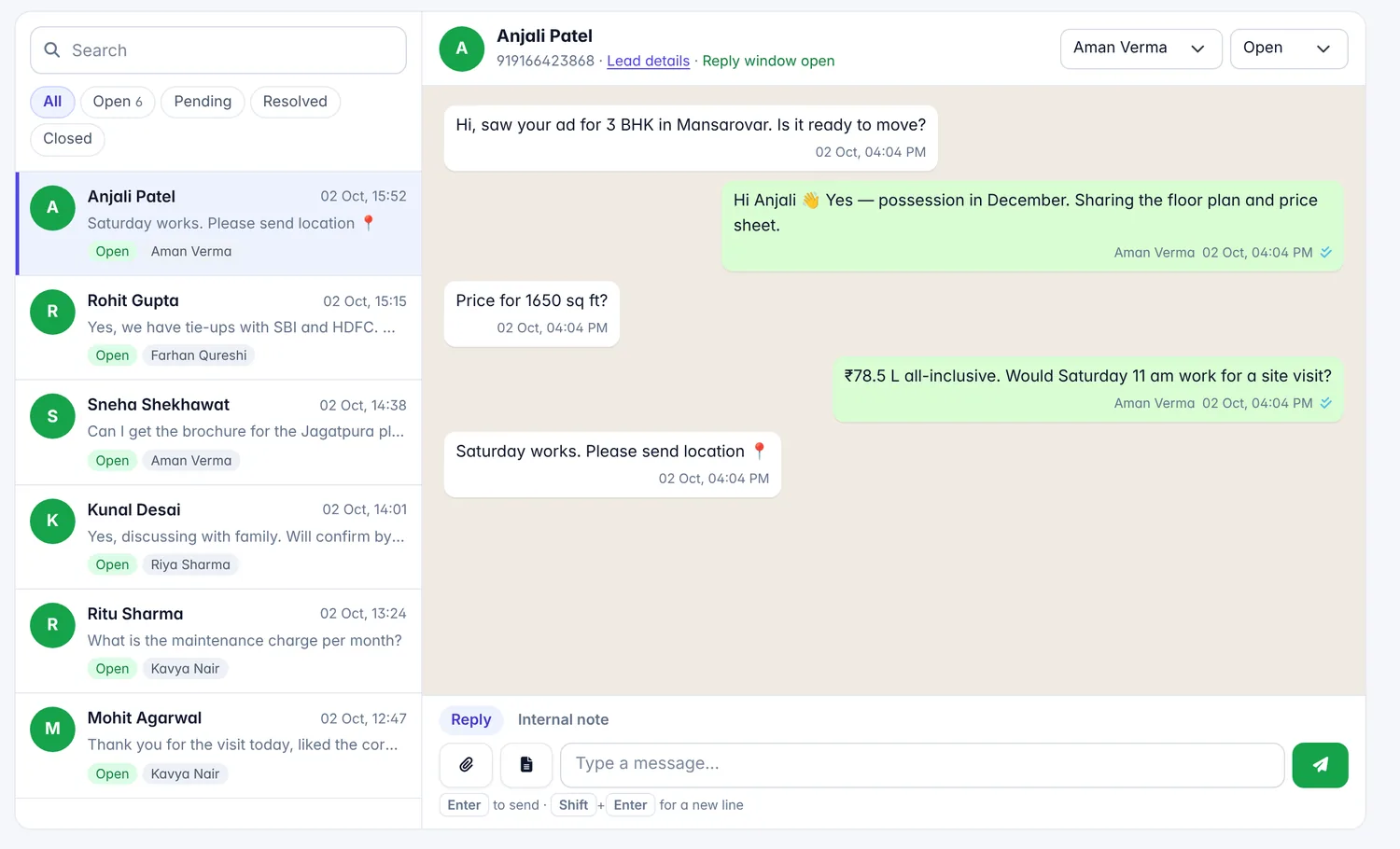
One WhatsApp number. The whole team answering.
A shared inbox on your WhatsApp Business number. Assign chats, leave internal notes, send approved templates - and see exactly who said what.
Unread counts and assignment
Templates with buttons and variables
Broadcasts to filtered lead lists
03 - Follow up
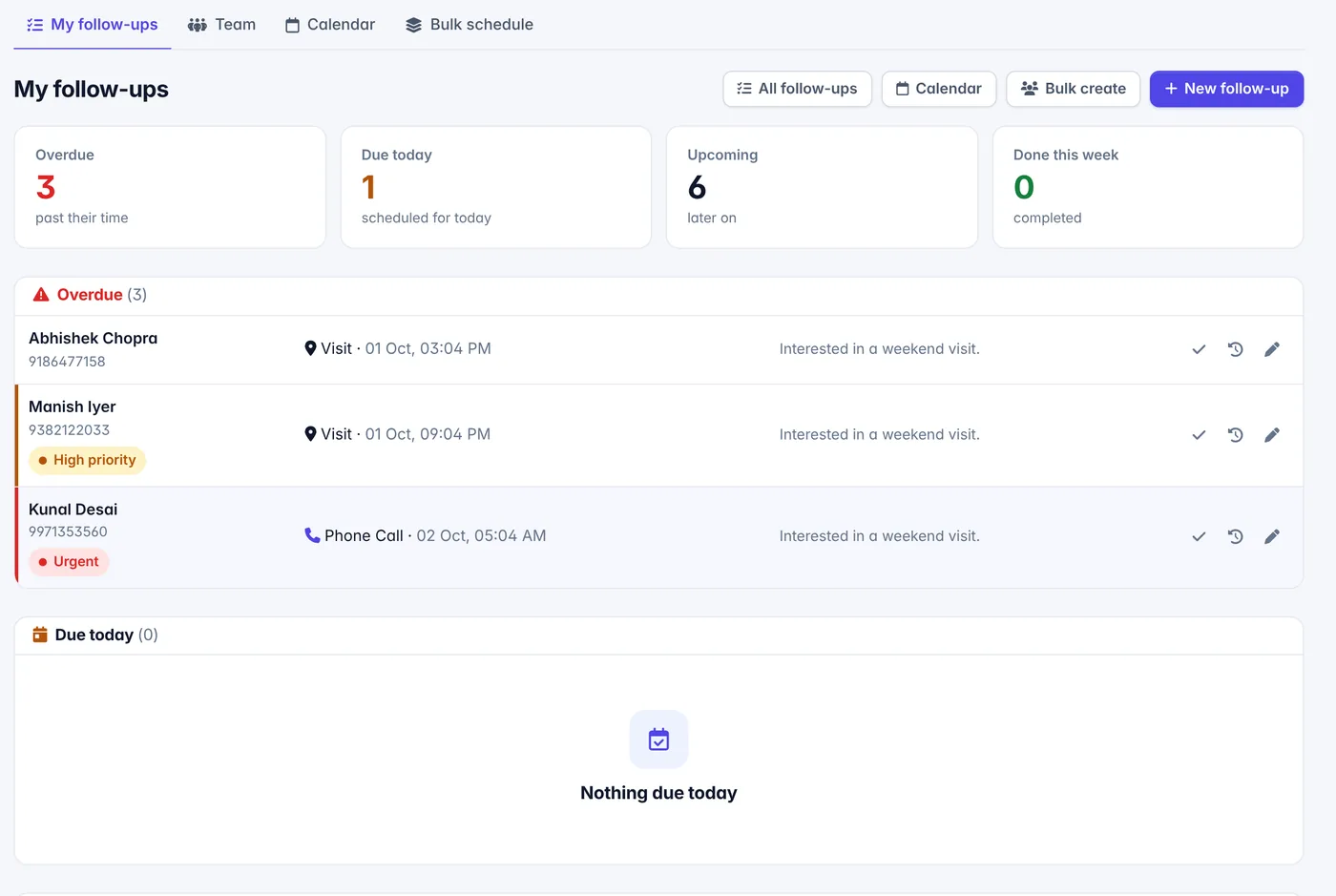
A to-do list that knows who's waiting.
Calls, visits and meetings, sorted into overdue, today and upcoming. Each person sees theirs; managers see the team's.
Reminders before things slip
Calendar and bulk scheduling
Outcome logged on the lead's timeline
04 - Automate
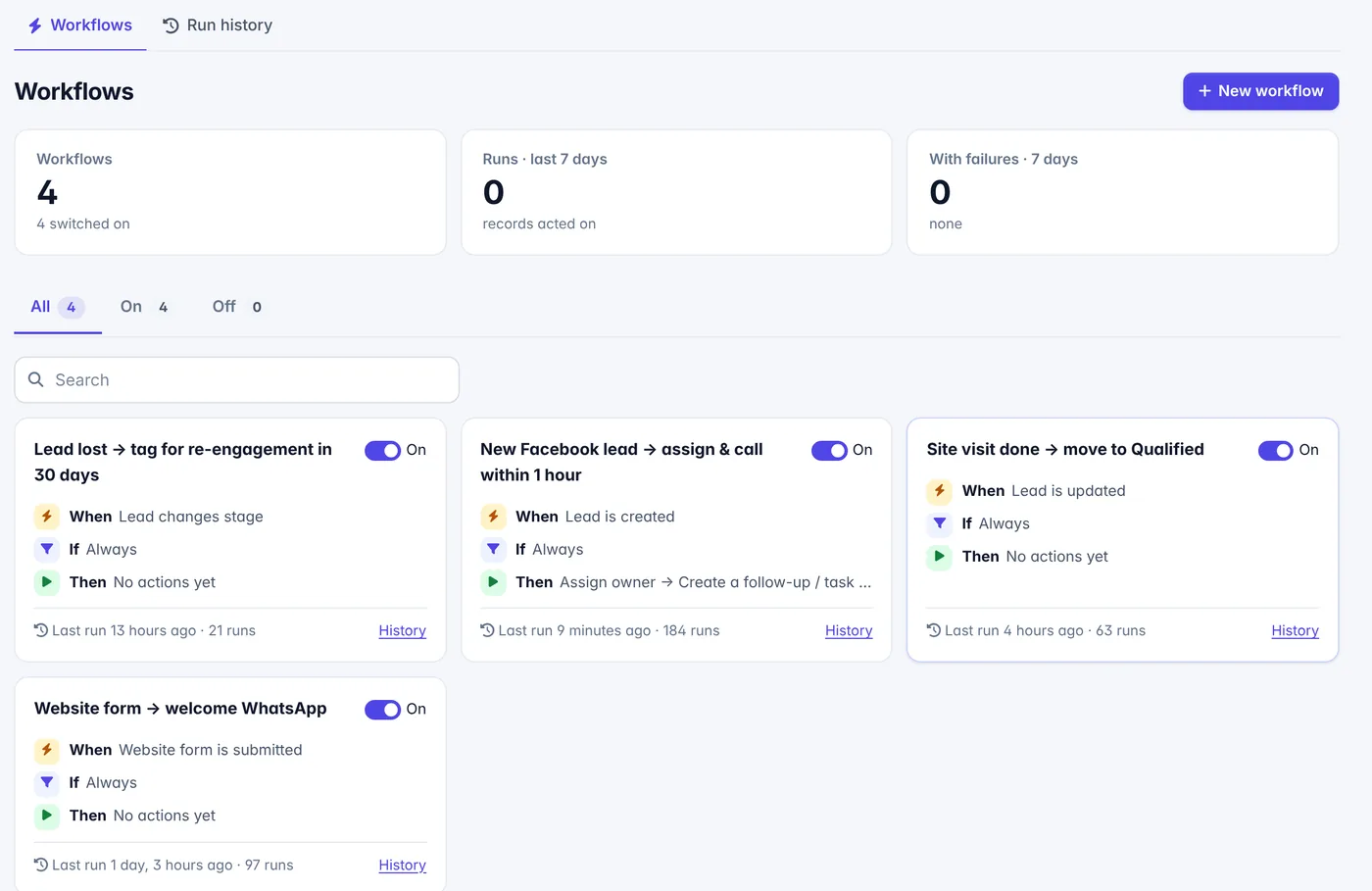
Write the rule once. It runs every time.
“When a Facebook lead comes in, give it to the next person in line, create a call task due in an hour, and remind them if nothing happens in two days.”
Assign, tag, move stage, create tasks
Send email, WhatsApp or SMS
Wait steps and “continue only if”
05 - Measure
Know which ad brings buyers, not just clicks.
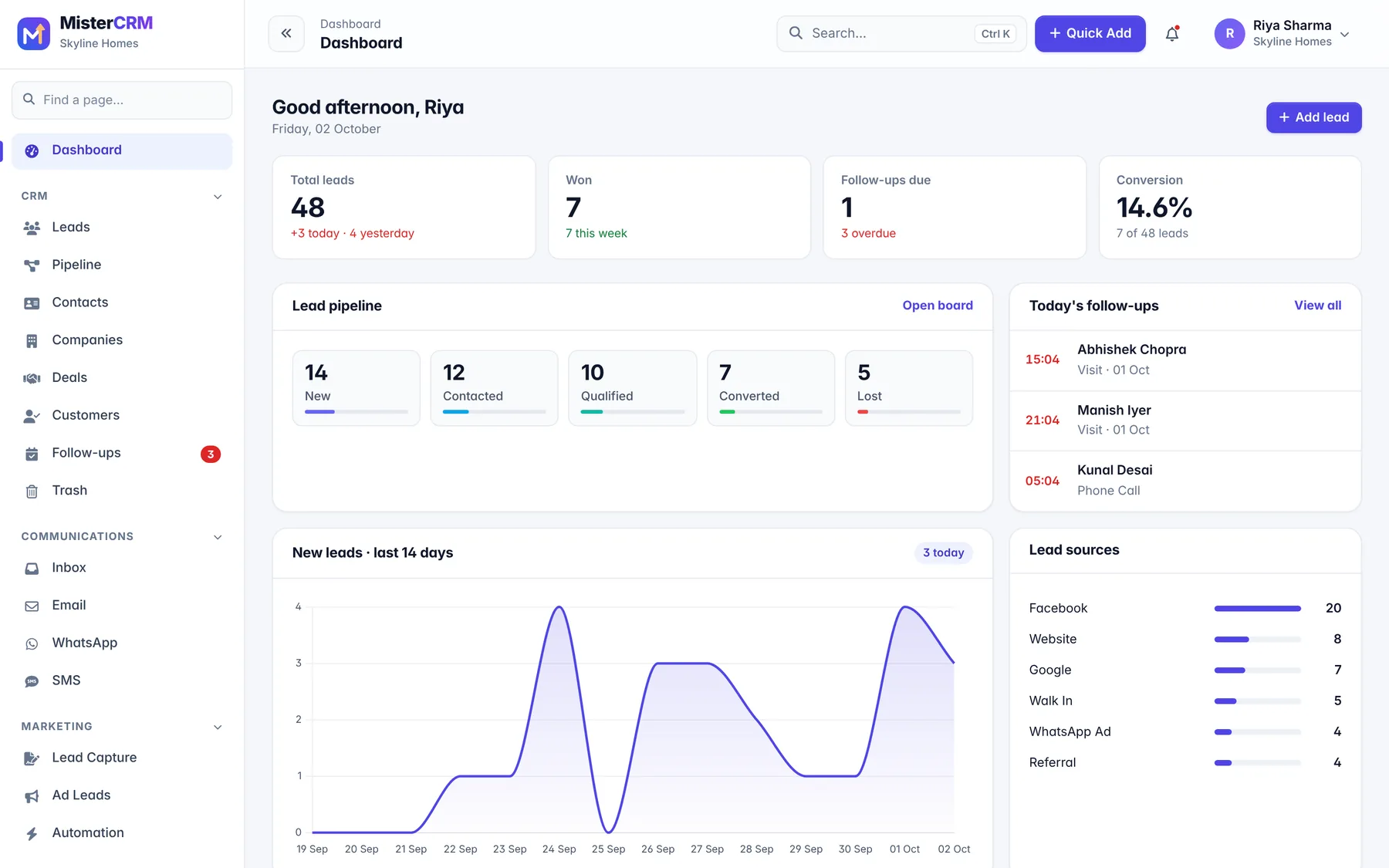
The dashboard opens with today's numbers. Reports break it down by source, campaign and person, so you spend where it works.
Conversion funnel by stage
Leads by source and counsellor
Email, WhatsApp and SMS campaign stats
The small things
The details that save an hour a day.
Website forms that go straight in
Build a form, paste one line on your site. Each submission is a lead in your CRM before the visitor closes the tab.
NameRohit Agarwal
Mobile98290 41187
Looking2 BHK, Vaishali
Lead created · assigned to Kavya
Fair, automatic assignment
Round-robin, least-busy, or by city and source. Nobody cherry-picks; nobody gets forgotten.
AVAman Verma
KNKavya Nair
FQFarhan Qureshi
Duplicates, merged
Same mobile from an ad and the website? You get one lead, not two.
Sneha Iyer98111 20456 · Meta ad
Sneha Iyer98111 20456 · Website
merged into one lead
One timeline per lead
Every email, WhatsApp, SMS, call and note - in order, in one place.
WhatsApp · 9:52 pmIs covered parking included?
Call · 10:06 amVisit booked for Saturday
Email · 10:09 amVisit confirmation sent
Everyone sees just enough
Roles decide what people can do. Visibility can be their own leads, team, department, branch or everything.
Keep WhatsApp - MisterCRM connects to it. What changes is that every chat sits on a lead, a manager can see who replied and who didn't, and follow-ups stop depending on someone's memory. Import your Excel sheet on day one.
How long does setup take?
You can be taking leads the same day. A setup wizard covers your team, pipeline stages and lead sources. Connecting Meta lead ads and the WhatsApp Business API takes a bit longer because Meta has to approve the number - we walk you through it.
Will it work with our WhatsApp number?
It uses the official WhatsApp Business (Cloud) API. You can use a new number or move your existing business number to the API. Templates, broadcasts and the shared inbox all run on it.
Where is our data kept?
On Amazon Web Services in Mumbai. Each company's data is kept separate, passwords for your email and WhatsApp accounts are stored encrypted, and sensitive documents are only reachable through signed, expiring links.
Can a telecaller see only their own leads?
Yes. Visibility can be set to their own leads, their team, department, branch or everyone. Roles control whether they can edit, export, delete or reassign.
Can we leave if it's not for us?
Of course. Export your leads to Excel any time - the data is yours.
Stop losing leads to slow replies.
Show us how your team handles enquiries today. In 30 minutes we'll show you what changes - using your own lead sources.